
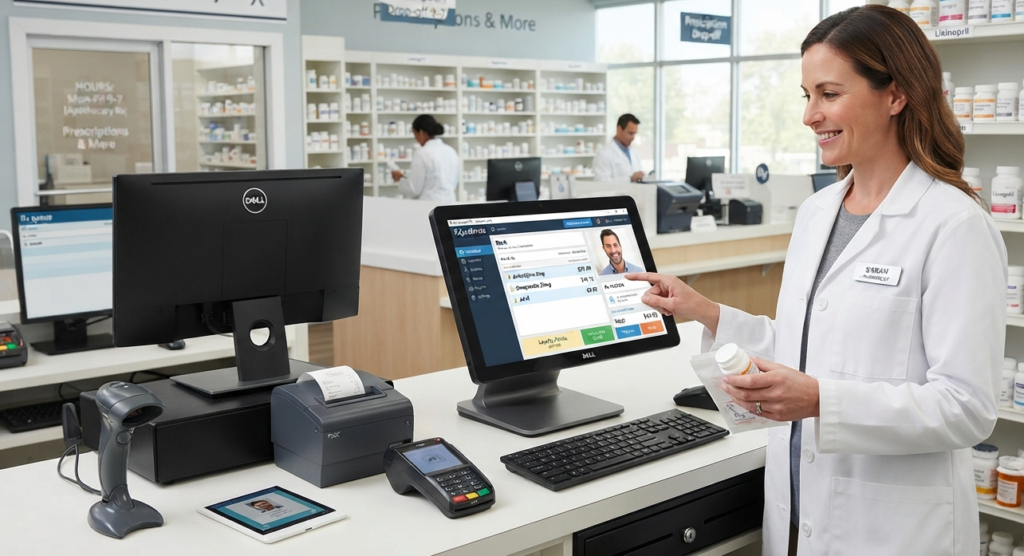
Running a small pharmacy is more challenging than ever. Every day, pharmacy owners need to manage medicine inventory, handle customer billing, monitor expiry dates, control stock levels, and maintain accurate financial records. Doing all of this manually takes time and increases the risk of costly mistakes.
This is where Pharmacy POS Software for Small Pharmacy Business becomes essential. A modern pharmacy POS system simplifies your daily operations, reduces errors, and helps you provide faster customer service while improving profitability.
Whether you own a neighborhood pharmacy or are planning to open your first medical store, choosing the right pharmacy POS software can significantly improve your business performance.
What Is Pharmacy POS Software?
Pharmacy POS (Point of Sale) Software is a complete digital solution designed to manage every aspect of a pharmacy. It combines billing, inventory management, purchase tracking, sales reporting, customer management, supplier management, and accounting into one easy-to-use system.
Instead of maintaining multiple registers or spreadsheets, everything is managed from a single dashboard.
Why Small Pharmacy Businesses Need POS Software
Many small pharmacy owners still rely on handwritten invoices or basic Excel sheets. While this may work initially, business growth quickly makes manual management difficult.
A pharmacy POS system helps you:
- Process sales within seconds
- Reduce billing mistakes
- Track medicine stock automatically
- Receive expiry alerts before medicines expire
- Generate daily sales reports
- Improve customer satisfaction
- Save valuable business time
- Make smarter purchasing decisions
Key Features of Pharmacy POS Software for Small Pharmacy Business
Fast Billing System
Generate professional invoices quickly using barcode scanning, making checkout faster and improving customer experience.
Medicine Inventory Management
Monitor available stock, incoming purchases, and sold medicines in real time.
Expiry Date Management
Receive automatic alerts before medicines expire, reducing financial losses.
Barcode Scanner Integration
Simply scan products for quick billing and accurate inventory updates.
Purchase Management
Record supplier purchases and maintain complete purchase history.
Supplier Management
Store supplier information, payment history, and purchase records in one place.
Customer Management
Track customer purchase history and improve customer relationships.
Daily Sales Reports
View detailed reports for sales, profit, expenses, and inventory performance.
Stock Alerts
Receive notifications when medicine stock reaches a minimum level.
User Access Control
Assign different permissions to pharmacists, cashiers, and managers for better security.
Benefits of Using Pharmacy POS Software
Using pharmacy POS software provides several business advantages.
- Faster billing
- Better inventory accuracy
- Reduced medicine wastage
- Lower operational costs
- Increased business efficiency
- Better customer service
- Improved profit tracking
- Easy financial reporting
- Better stock planning
- Higher employee productivity
How Pharmacy POS Software Improves Inventory Management
Inventory is one of the most valuable assets in any pharmacy.
Without proper management, pharmacies often experience:
- Overstocking
- Understocking
- Expired medicines
- Missing inventory
- Wrong purchase decisions
A pharmacy POS system continuously updates inventory after every sale or purchase, giving you complete visibility into your stock.
Why Expiry Management Is Important
Medicine expiry directly affects patient safety and pharmacy profitability.
Good pharmacy software helps you:
- Identify medicines nearing expiry
- Sell older stock first
- Reduce inventory losses
- Maintain regulatory compliance
Billing Made Faster and Easier
Customers appreciate quick service.
Modern pharmacy POS software allows you to:
- Scan barcodes
- Apply discounts
- Print invoices instantly
- Accept multiple payment methods
- Complete transactions within seconds
Reports That Help You Make Better Business Decisions
Business decisions should always be based on data.
Pharmacy POS software provides reports for:
- Daily Sales
- Monthly Sales
- Profit Analysis
- Purchase Reports
- Expense Reports
- Inventory Reports
- Supplier Reports
- Customer Reports
- Stock Valuation
These reports help owners understand business performance and identify opportunities for growth.
Who Should Use Pharmacy POS Software?
This software is ideal for:
- Small pharmacies
- Retail medical stores
- Community pharmacies
- Independent pharmacy owners
- Family-owned pharmacies
- New pharmacy businesses
- Chain pharmacies
- Medicine distributors
How to Choose the Best Pharmacy POS Software
Before purchasing, make sure the software includes:
- Easy-to-use interface
- Barcode support
- Inventory management
- Expiry alerts
- Supplier management
- Customer database
- Sales reporting
- Accounting integration
- Backup options
- Technical support
- Regular updates
Why Choose PharmacyPOS BD?
If you’re looking for a reliable solution for a small pharmacy business, PharmacyPOS BD offers features designed to simplify daily operations. It combines fast billing, inventory management, expiry tracking, barcode support, reporting, and user-friendly workflows to help pharmacy owners save time and improve accuracy.
Whether you’re just starting or expanding your pharmacy, choosing software that matches your business needs can make day-to-day management much easier.
Frequently Asked Questions (FAQ)
What is Pharmacy POS Software?
Pharmacy POS Software is a system that helps pharmacies manage billing, inventory, purchases, suppliers, customers, and reports from one platform.
Is Pharmacy POS Software suitable for small pharmacies?
Yes. It is designed to simplify operations, reduce manual work, and improve efficiency for pharmacies of all sizes.
Can Pharmacy POS Software track medicine expiry dates?
Yes. Most modern pharmacy POS systems provide automatic expiry tracking and alerts
Does Pharmacy POS Software support barcode scanning?
Yes. Barcode integration speeds up billing and improves inventory accuracy.
Can I manage inventory using Pharmacy POS Software?
Absolutely. Inventory management is one of the core features, allowing you to monitor stock levels, purchases, and sales in real time.
Why should I use Pharmacy POS Software instead of manual billing?
Manual billing is slower and more prone to errors. Pharmacy POS Software automates billing, inventory, reporting, and record-keeping, making pharmacy management more efficient.
Final Thoughts
Choosing the right Pharmacy POS Software for Small Pharmacy Business is an investment in efficiency, accuracy, and long-term growth. Instead of spending hours on manual billing and stock management, you can automate routine tasks, reduce errors, and focus more on serving customers.
For small pharmacy owners aiming to grow their business, a reliable pharmacy POS solution can improve productivity, provide better business insights, and support smarter decision-making.