 Skip to content
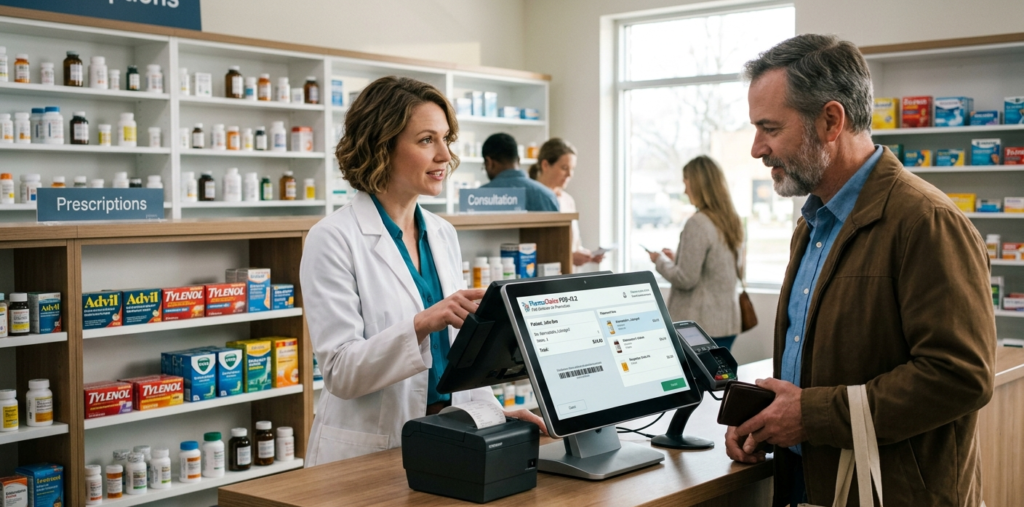
Managing a pharmacy shop requires accuracy, speed, and proper inventory control. The best POS software for pharmacy shop helps pharmacy owners manage medicine sales, track stock, and generate reports easily.
A pharmacy POS system combines billing, inventory management, and customer management into one platform. With the right POS software, pharmacy owners can reduce manual errors, improve efficiency, and grow their business faster.
Modern pharmacy POS systems also support barcode scanning, real-time inventory tracking, and automated expiry alerts for medicines. These features help pharmacies maintain compliance and ensure patient safety.
Why Pharmacy Shops Need POS Software
Pharmacy shops deal with thousands of medicines and healthcare products. Managing them manually can lead to errors and slow service.
A pharmacy POS system helps by:
- Speeding up billing and checkout
- Managing medicine inventory automatically
- Tracking expiry dates
- Generating daily and monthly sales reports
- Managing suppliers and purchase orders
These features make pharmacy operations smoother and more efficient.
Key Features of the Best POS Software for Pharmacy Shop
Fast Billing System
The best pharmacy POS software allows quick billing with barcode scanning. This reduces waiting time and improves customer service.
Inventory Management
Pharmacy POS systems automatically track medicine stock levels and send alerts when items are running low.
Expiry Date Tracking
Medicine expiry management is very important for pharmacies. Modern POS systems provide automatic alerts for expiring products.
Sales and Profit Reports
POS software generates detailed reports such as daily sales, monthly profit, and product performance
Customer Management
Pharmacy POS systems store customer information and purchase history, helping pharmacies provide better service.
Benefits of Using POS Software in a Pharmacy Shop
Using a pharmacy POS system provides several advantages for pharmacy owners:
- Faster billing process
- Reduced manual mistakes
- Better stock control
- Improved customer satisfaction
- Accurate business reports
With these benefits, pharmacies can run their business more efficiently and increase profitability
How to Choose the Best POS Software for Pharmacy Shop
When choosing pharmacy POS software, consider these factors:
- Easy to use interface
- Inventory and expiry management
- Barcode scanner support
- Reporting and analytics
- Customer support and updates
Selecting the right POS software will help your pharmacy operate smoothly and grow faster.
FAQ
What is POS software for pharmacy?
POS software for pharmacy is a system that manages billing, inventory, and sales for pharmacy shops in one platform.
Why do pharmacies need POS software?
Pharmacies need POS software to manage medicine inventory, process sales quickly, and track expiry dates efficiently
Can POS software track medicine expiry dates?
Yes, most pharmacy POS systems provide automatic expiry alerts to prevent selling expired medicines.
Conclusion
Choosing the best POS software for pharmacy shop can significantly improve pharmacy operations. It helps manage medicine inventory, speed up billing, and provide detailed business reports.
With advanced features like barcode scanning, expiry tracking, and automated reporting, pharmacy POS software allows pharmacy owners to focus on customer service and business growth.