
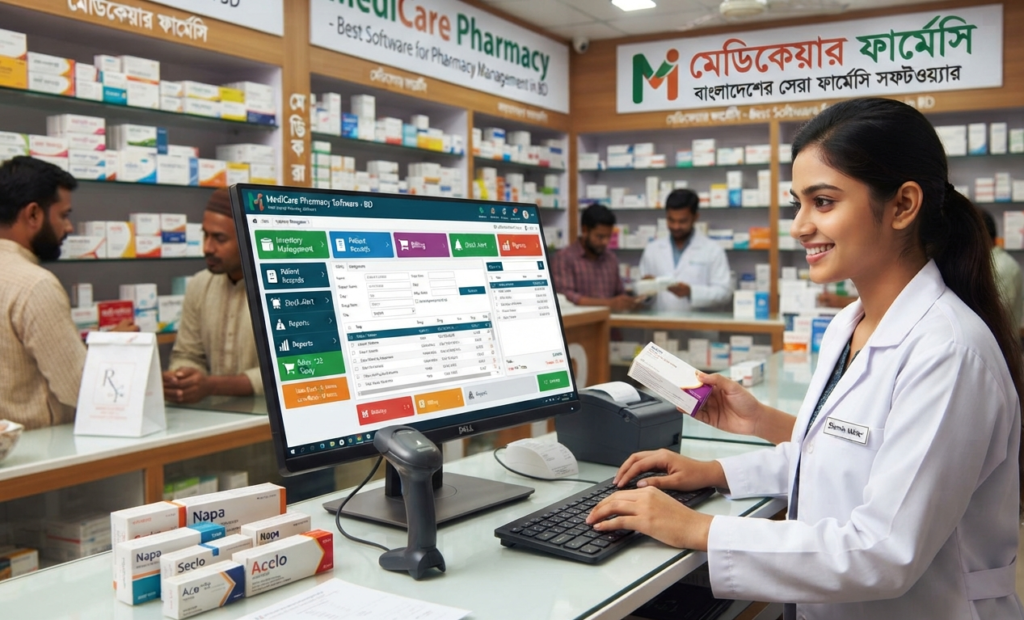
Choosing the Best Pharmacy Software in Bangladesh is an important decision for any pharmacy owner. A good pharmacy software should do much more than generate sales invoices. It should help you control medicine inventory, track expiry dates and batches, manage purchases and suppliers, monitor sales, calculate profit, and understand the overall performance of your pharmacy.
In Bangladesh, pharmacies and medicine shops are becoming increasingly dependent on digital tools to manage their daily operations. As the number of products, customers, suppliers, and transactions increases, managing everything manually becomes difficult and time-consuming.
The right pharmacy management software can bring these activities together in one organized system.
This guide explains what to look for when choosing pharmacy software in Bangladesh, which features matter most, and how a pharmacy can benefit from moving from manual management to a digital system.
What Is Pharmacy Software?
Pharmacy software is a specialized business management system designed for pharmacies, medicine shops, medical stores, and other businesses that sell medicines and healthcare products.
Instead of maintaining separate notebooks, spreadsheets, and manual calculations, pharmacy owners can manage important business operations from a single software platform.
A modern pharmacy management system may include:
- Pharmacy POS and billing
- Medicine inventory management
- Purchase management
- Sales management
- Batch tracking
- Expiry date tracking
- Stock adjustment
- Sales return
- Purchase return
- Customer management
- Supplier management
- Payment management
- Expense management
- Profit and loss reports
- Sales reports
- Purchase reports
- User and employee management
- Multi-branch management
The exact features vary from one software provider to another, so pharmacy owners should compare the actual workflow and features before making a purchase.
Why Pharmacy Businesses in Bangladesh Need Software
A pharmacy may start with a simple notebook or Excel spreadsheet. As the business grows, however, the amount of information that needs to be managed also grows.
Imagine a pharmacy handling hundreds or thousands of medicine products, multiple suppliers, daily sales, purchase invoices, returns, discounts, and expiry dates.
Managing all of this manually can create several problems.
Manual Stock Management Can Become Difficult
One of the biggest challenges for a pharmacy is knowing exactly how much stock is available.
Without an organized inventory system, it may be difficult to answer questions such as:
- How many units are currently available?
- Which medicines are selling quickly?
- Which products are running low?
- Which medicines are close to expiry?
- Which supplier supplied a particular batch?
- How much stock was purchased this month?
Pharmacy inventory software can make these records easier to maintain.
Medicine Expiry Management Matters
Expiry management is one of the most important considerations when choosing pharmacy software.
A useful system should allow pharmacy staff to record expiry dates and identify products approaching expiry.
This can help the business take action before products become unsellable.
Faster Billing at the Counter
Customers expect quick service, particularly during busy periods.
A pharmacy POS system can simplify the billing process by allowing staff to search products, select quantities, apply discounts, calculate totals, and generate invoices from one interface.
Better Business Visibility
A pharmacy owner should not have to depend entirely on guesswork to understand business performance.
Useful reports can show:
- Daily sales
- Monthly sales
- Purchase volume
- Sales returns
- Purchase returns
- Expenses
- Gross profit
- Net profit
- Customer dues
- Supplier dues
- Stock value
This information can help owners make more informed business decisions.
What Makes the Best Pharmacy Software in Bangladesh?
There is no single software that is automatically the best choice for every pharmacy.
A small neighborhood medicine shop may need a simple POS and inventory system, while a large pharmacy chain may require multi-branch management, accounting, advanced reporting, and centralized control.
However, the best pharmacy software should generally provide the following characteristics.
Easy-to-Use Pharmacy POS
The billing screen should be simple enough that pharmacy employees can learn it quickly.
A good POS should make it easy to:
- Search medicines
- Select products
- Enter quantity
- Apply discounts
- Calculate totals
- Process payments
- Print invoices
- Check previous transactions
A complicated billing interface can slow down the counter, even if the software has many advanced features.
Advanced Pharmacy Inventory Management
Inventory is at the heart of pharmacy operations.
Good pharmacy management software should allow you to monitor stock movement from purchase to sale.
Important inventory features may include:
- Current stock
- Opening stock
- Purchase stock
- Sold quantity
- Available quantity
- Damaged stock
- Stock adjustment
- Low-stock alerts
- Batch-wise stock
- Expiry-wise stock
Batch Number Management
Medicine products may be purchased in different batches.
Therefore, batch-level information can be valuable for pharmacy businesses.
The system should ideally allow you to record and identify:
- Batch number
- Purchase date
- Expiry date
- Purchase price
- Selling price
- Available quantity
This creates a clearer record of stock movement.
Expiry Date Tracking
A pharmacy should have a clear way to identify medicines approaching expiry.
Depending on the software, expiry reports may allow staff to identify:
- Already expired products
- Products expiring soon
- Products by expiry period
- Expiry-related stock quantities
This can help pharmacy owners manage inventory more proactively.
Purchase Management
Buying medicines from multiple suppliers creates a large amount of data.
Pharmacy software should make it easy to record purchases and update inventory automatically.
A purchase module can include:
- Supplier selection
- Purchase invoice
- Medicine quantity
- Purchase price
- Batch number
- Expiry date
- Discount
- Payment
- Purchase return
Sales and Sales Return
Every sale should update inventory correctly.
A reliable pharmacy POS should connect sales transactions with inventory so that stock information remains consistent.
Sales return functionality is also important because returned products should be reflected properly in the stock and sales records.
Supplier Management
Pharmacy owners often work with multiple suppliers.
Supplier management can help maintain:
- Supplier information
- Purchase history
- Supplier balance
- Payment history
- Outstanding amounts
This is much easier than searching through multiple paper records.
Customer Management
Customer management can be useful for pharmacies that maintain customer accounts or provide credit sales.
Depending on the business model, the system may record:
- Customer details
- Purchase history
- Outstanding balance
- Payment history
Accounting and Financial Reports
A pharmacy does not only need to know how much it sold.
The owner also needs to understand how much was purchased, how much was spent, and how much profit the business generated.
Pharmacy software with accounting capabilities can bring sales, purchases, expenses, payments, receivables, and payables together.
Detailed Reports
Reports are one of the most valuable features of business software.
Before purchasing a pharmacy management system, ask for a demonstration of the actual reports.
Useful reports may include:
Sales Reports
- Daily sales
- Monthly sales
- Product-wise sales
- Customer-wise sales
- Sales return
Purchase Reports
- Supplier-wise purchases
- Product-wise purchases
- Purchase history
- Purchase return
Inventory Reports
- Current stock
- Low stock
- Expired stock
- Near-expiry stock
- Stock valuation
Financial Reports
- Expenses
- Customer due
- Supplier due
- Profit reports
- Payment reports
Pharmacy POS Software vs Manual Pharmacy Management
Many small pharmacies start with paper records or Excel.
These methods can be inexpensive at the beginning, but they become increasingly difficult when transaction volume increases.
| Business Area | Manual / Excel | Pharmacy Software |
|---|---|---|
| Billing | Manual | Digital |
| Stock tracking | Difficult | Organized |
| Batch tracking | Manual | System-based |
| Expiry tracking | Time-consuming | Easier |
| Purchase records | Manual | Centralized |
| Sales reports | Manual calculation | Automated |
| Customer dues | Manual | Digital |
| Supplier dues | Manual | Digital |
| Profit analysis | Difficult | Faster |
| Business monitoring | Limited | Better |
The goal of pharmacy software is not simply to replace paper. It is to make important business information easier to record, find, and use.
Best Pharmacy Software for Small Pharmacies
A small pharmacy does not necessarily need the most complicated software available.
For a small medicine shop, the most important features may be:
- Fast billing
- Simple inventory
- Purchase management
- Expiry tracking
- Basic reports
- Customer management
- Supplier management
- Affordable pricing
- Easy training
- Reliable support
The software should match the size and workflow of the business.
Paying for features that your pharmacy will never use may not be the best investment.
Best Pharmacy Software for Large Pharmacies
Larger pharmacies and pharmacy chains usually have more complex requirements.
They may need:
- Multiple users
- User permissions
- Multiple branches
- Centralized reporting
- Advanced inventory
- Accounting integration
- Detailed business analytics
- Centralized purchasing
- Branch-wise sales reports
If you operate multiple locations, ask the software provider to demonstrate exactly how branch management works before purchasing.
How to Choose Pharmacy Software in Bangladesh
Before choosing a pharmacy software provider, do not make your decision based only on advertisements or a list of features.
Use a practical evaluation process.
Identify Your Pharmacy’s Requirements
Write down what you currently manage manually.
For example:
- Sales
- Purchases
- Inventory
- Expiry
- Customers
- Suppliers
- Accounts
- Reports
Then check whether the software solves those specific problems.
Take a Live Demo
A live demo is more useful than simply looking at screenshots.
Ask the provider to demonstrate a real workflow:
Purchase → Stock → Sale → Return → Payment → Report
This allows you to see how different modules work together.
Test Medicine Search and Billing
Ask an employee to try the billing system.
If the system is difficult to use during a demo, it may also be difficult during busy pharmacy hours.
Check Inventory and Expiry Features
Do not simply ask, “Does it have inventory?”
Ask specific questions:
- Can I track batches?
- Can I track expiry dates?
- Can I see near-expiry stock?
- Can I see low-stock products?
- Does selling automatically reduce stock?
These questions provide a much better understanding of the system.
Understand Support and Training
Software is only useful if your employees can use it correctly.
Ask about:
- Installation
- Training
- Customer support
- Software updates
- Data backup
- Troubleshooting
- Future upgrades
Questions to Ask Before Buying Pharmacy Software
Before signing up, ask the provider:
Does the software support batch-wise inventory?
This is important for pharmacies managing products from different batches.
Can it track medicine expiry?
Ask to see the actual expiry report instead of relying only on a verbal answer.
Can I see profit reports?
Ask how the software calculates profit and whether cost prices are properly recorded.
Does it support multiple users?
This matters if several employees use the software.
Does it support multiple branches?
If you plan to expand, scalability can be important.
What happens to my data?
Ask about backup, security, restoration, and data ownership.
Is training included?
Make sure employees know how to use the system before going live.
Why a Pharmacy Should Move From Excel to Pharmacy Software
Excel can be useful for simple record keeping, but it is not specifically designed around pharmacy workflows.
As transaction volume grows, maintaining formulas, stock quantities, purchase records, returns, and reports manually can become increasingly difficult.
A dedicated pharmacy management system can connect these processes.
For example:
Purchase Medicine → Stock Increases → Customer Buys → Stock Decreases → Sale Recorded → Report Updated
This connected workflow is one of the main reasons businesses move from spreadsheets to specialized software.
What Should a Pharmacy Software Demo Include?
If you are comparing pharmacy software providers in Bangladesh, ask each provider to demonstrate the same workflow.
A useful demo should include:
- Company setup
- Medicine/product setup
- Supplier creation
- Purchase entry
- Batch and expiry entry
- Stock checking
- Customer creation
- Sales invoice
- Sales return
- Supplier payment
- Customer payment
- Expense entry
- Sales report
- Inventory report
- Profit report
Comparing providers using the same checklist makes the decision much easier.
Is Pharmacy Software Worth the Investment?
For a pharmacy that handles regular sales and inventory transactions, software can provide value by reducing repetitive work and making business information easier to manage.
The real value is not simply in generating invoices.
It comes from having a clearer view of the entire business.
You can understand:
What are we selling?
What is in stock?
What is running low?
What is approaching expiry?
How much are we purchasing?
How much do customers owe?
How much do we owe suppliers?
Are we actually making a profit?
When these answers are available in an organized system, managing a pharmacy becomes much easier.
Why Choose a Bangladesh-Focused Pharmacy Software?
A pharmacy operating in Bangladesh may have requirements that are different from a generic international POS system.
When evaluating a solution, consider whether the provider understands local business practices, local currency, taxation/accounting requirements where applicable, local customer support, and the practical workflow of Bangladeshi pharmacies.
Local support can also make implementation and employee training easier.
Pharmacy Software Buying Checklist
Before purchasing, use this checklist:
- Pharmacy POS
- Fast medicine search
- Inventory management
- Batch management
- Expiry tracking
- Purchase management
- Sales return
- Purchase return
- Customer management
- Supplier management
- Expense management
- Profit reports
- Sales reports
- Stock reports
- User management
- Data backup
- Training
- Customer support
- Multi-branch support if required
- Suitable pricing
Frequently Asked Questions About Pharmacy Software in Bangladesh
Which is the best pharmacy software in Bangladesh?
The best pharmacy software depends on your pharmacy’s size, workflow, budget, and required features. Before choosing a provider, compare billing, inventory, batch and expiry tracking, purchasing, accounting, reporting, support, and scalability.
What features should the best pharmacy software have?
A strong pharmacy management system should generally include POS billing, inventory management, batch tracking, expiry management, purchase management, sales returns, supplier and customer management, reporting, and financial features where required.
Is pharmacy software suitable for small medicine shops?
Yes. Small pharmacies can benefit from faster billing, organized inventory, purchase records, expiry tracking, and sales reports. The important thing is to choose software that matches the pharmacy’s actual requirements.
Can pharmacy software track medicine expiry dates?
Yes, pharmacy software can support expiry-date tracking when expiry information is recorded during inventory or purchase entry. Some systems can also provide near-expiry and expired-stock reports.
Can pharmacy software manage medicine batches?
Yes. Batch management allows pharmacies to maintain product information at the batch level, including batch number, expiry date, purchase price, and available quantity.
Can pharmacy software calculate profit?
Many pharmacy management systems provide profit-related reports. However, the accuracy of profit calculations depends on how purchase cost, selling price, discounts, returns, and other transactions are recorded.
Can pharmacy software manage multiple branches?
Some pharmacy POS and ERP systems support multi-branch operations. If you operate more than one pharmacy, confirm how the software handles branch-wise stock, sales, users, reports, and centralized management.
How much does pharmacy software cost in Bangladesh?
Pricing varies depending on the provider, features, number of users, branches, deployment method, support, and subscription or licensing model. It is better to compare the total cost with the features and support included rather than choosing software only because it is cheaper.
Should I choose cloud or offline pharmacy software?
The right option depends on your business requirements. Cloud software can be useful for remote access and centralized management, while offline systems may be preferred where internet availability is a concern. Discuss your workflow with the provider before choosing a deployment model.
How can I compare different pharmacy software companies?
Take demos from multiple providers and test the same workflow with each one:
Purchase → Inventory → Sale → Return → Payment → Reports
Then compare usability, features, data security, support, training, pricing, and scalability.
Final Verdict
The Best Pharmacy Software in Bangladesh should not simply be the software with the biggest feature list or the lowest price.
It should be a practical system that helps your pharmacy manage its daily operations more accurately and efficiently.
Before making your final decision, test the software with a real pharmacy workflow, check how inventory and expiry management work, review the reports, ask about data backup and support, and make sure your employees can use the system comfortably.
A good pharmacy software investment should ultimately help you answer one simple question:
“Do I have a clear picture of what is happening in my pharmacy today?”
If the answer is yes, your software is doing its job.