
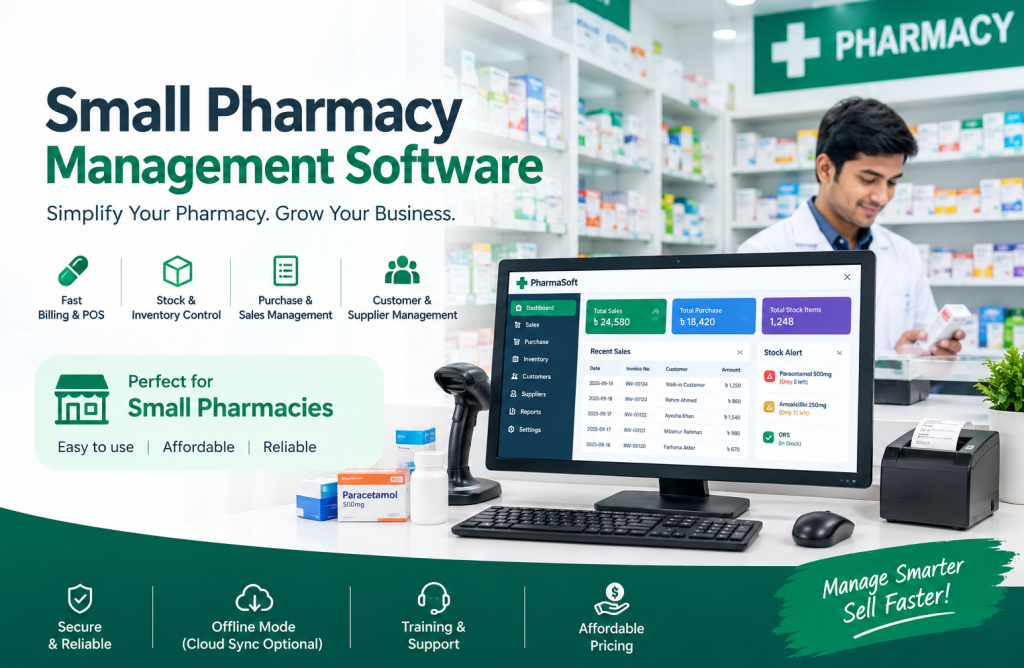
Running a small pharmacy may look simple, but managing medicines, purchases, sales, stock, expiry dates, customer dues, and daily accounts manually can become difficult as the business grows. A Small Pharmacy Management Software helps pharmacy owners organize these daily operations from one system.
For a small pharmacy, the goal is not to use complicated software. The goal is to make everyday work faster, more accurate, and easier to control.
What Is Small Pharmacy Management Software?
Small Pharmacy Management Software is a digital system designed to help small and retail pharmacies manage their day-to-day business activities.
Instead of maintaining separate notebooks or Excel files for sales, purchases, inventory, and customer information, pharmacy owners can manage these operations from one centralized system.
A suitable pharmacy management system can help with:
- Medicine inventory management
- Sales and POS billing
- Purchase management
- Medicine stock tracking
- Batch and expiry management
- Customer management
- Supplier management
- Customer due tracking
- Sales and purchase reports
- Profit and business reports
- User and staff management
The main benefit is simple: the pharmacy owner gets better control over the business without adding unnecessary complexity.
Why Does a Small Pharmacy Need Management Software?
Many small pharmacies start with notebooks, calculators, or Excel spreadsheets. This may work when the number of products and transactions is low.
However, problems can appear when the pharmacy starts handling hundreds or thousands of medicine items.
For example, imagine a pharmacy has 1,500 medicine products. Every day, medicines are purchased from different suppliers and sold to different customers. Some medicines have different batches and expiry dates.
If everything is managed manually, it becomes difficult to answer basic questions such as:
- Which medicines are currently in stock?
- Which medicines are close to expiry?
- How much was sold today?
- Which products are selling the most?
- How much money is due from customers?
- Which supplier has outstanding payments?
- What was the purchase price of a medicine?
- How much profit was generated?
Software can organize this information automatically and make it easier to find.
Key Features of Small Pharmacy Management Software
1. Medicine Inventory Management
Inventory is one of the most important parts of a pharmacy business.
A pharmacy management system can keep track of medicine names, quantities, purchase prices, selling prices, batches, expiry dates, and other relevant information.
This helps the pharmacy owner understand the current stock without manually counting every item.
2. Medicine Batch and Expiry Management
Medicine expiry is a major concern for pharmacies.
A good system should allow medicines to be tracked by batch and expiry date. This makes it easier to identify medicines that are approaching their expiry date.
For example, if a medicine has a short remaining shelf life, the pharmacy can identify it earlier and take appropriate business action instead of discovering it after the product has expired.
3. Pharmacy POS and Billing
A pharmacy POS system makes the sales process faster.
Instead of manually calculating each invoice, the user can search for a medicine, select the quantity, and generate a bill.
Depending on the system, barcode scanning can make the process even faster.
4. Purchase Management
Pharmacies regularly purchase medicines from multiple suppliers.
Purchase management helps record:
- Supplier name
- Medicine name
- Quantity
- Purchase price
- Batch number
- Expiry date
- Purchase date
- Payment information
When purchases are properly recorded, stock levels can also be updated more accurately.
5. Customer Due Management
Many pharmacies provide products on credit to regular customers.
Without proper records, it can be difficult to remember who owes money and how much.
A pharmacy management system can maintain customer due records so the pharmacy owner can monitor outstanding payments more easily.
6. Supplier Management
A pharmacy may work with several medicine suppliers.
Supplier management allows the business to keep supplier information and purchase/payment records organized in one place.
This becomes particularly useful when the pharmacy has a large number of suppliers.
7. Sales and Profit Reports
A pharmacy owner should not only know how much money came into the business.
They should also understand what products are selling, how much was purchased, and how the business is performing.
Reports can help answer questions such as:
- What are today’s total sales?
- What were this month’s sales?
- Which medicines are selling more?
- How much inventory is available?
- What are the purchase totals?
- What are the outstanding customer dues?
These insights can help the owner make better business decisions.
What Should You Look for in Small Pharmacy Software?
Not every pharmacy needs an expensive or complicated system.
Before choosing software, consider the actual requirements of your pharmacy.
Easy-to-Use Interface
If the software takes too many steps to complete a simple sale, employees may find it difficult to use.
For a small pharmacy, a simple and easy-to-understand interface can be more practical.
Fast Medicine Search
Pharmacies deal with many medicine names. Searching for a product quickly is therefore important.
Features such as medicine-name search, generic-name search, barcode search, or other quick-search options can improve the sales process.
Accurate Stock Tracking
The system should maintain stock based on purchases and sales.
This helps reduce the possibility of manually calculating inventory every day.
Expiry and Batch Tracking
For pharmacy businesses, expiry and batch information is more important than in many other retail businesses.
Therefore, these features should be considered before selecting software.
Backup and Data Security
Business data is valuable. Sales history, purchase records, customer information, and inventory data should be protected.
Before choosing software, ask how data backup and recovery are handled.
Different pharmacies have different requirements.
Offline or Online Access
Some businesses prefer offline pharmacy software, while others want cloud-based access from multiple locations.
The right choice depends on the pharmacy’s internet availability, business size, number of branches, and workflow.
Manual System vs Pharmacy Management Software
| Manual Management | Pharmacy Management Software |
|---|---|
| More manual data entry | Automated record keeping |
| Difficult to track stock | Real-time stock information |
| Expiry tracking can be difficult | Batch and expiry tracking |
| Reports take more time | Reports can be generated quickly |
| Customer dues may be difficult to manage | Organized due records |
| More calculation work | Automated calculations |
| Difficult to analyze sales | Sales and business reports |
The important point is that software does not replace the pharmacy owner’s decision-making. It gives the owner better information to make those decisions.
Is Pharmacy Management Software Suitable for a Small Pharmacy?
Yes, provided the software is designed with the needs of a small pharmacy in mind.
A small pharmacy usually does not need dozens of complicated business modules. It needs the core functions that make daily operations easier.
For example:
Sales → Stock → Purchase → Expiry → Customer → Supplier → Reports
If these core operations are connected, the pharmacy owner can manage the business more systematically.
Small Pharmacy Management Software in Bangladesh
For pharmacies in Bangladesh, local business requirements are also important.
A pharmacy software solution should be practical for local pharmacy operations, including medicine sales, inventory management, purchasing, customer dues, supplier management, and business reporting.
For a small pharmacy in Bangladesh, it is also useful to consider:
- Bangla/English usability
- Local currency support
- Offline operation if required
- Barcode billing
- Medicine database
- Batch and expiry tracking
- Local business reporting requirements
- Data backup
- Staff/user permissions
The best solution depends on the pharmacy’s size, number of products, staff, transaction volume, and preferred workflow.
PharmacyPOS BD for Small Pharmacies
PharmacyPOS BD is a pharmacy-focused software solution designed around the everyday requirements of pharmacy businesses.
It brings important pharmacy operations such as sales, POS billing, inventory, purchases, medicine management, customer and supplier management, batch/expiry tracking, and reporting into one system.
Instead of using separate tools for different parts of the pharmacy, a centralized pharmacy management system can make it easier to manage daily operations and understand business performance.
If you are running a small pharmacy and want to move from manual records to a more organized system, you can explore PharmacyPOS BD and check whether its features match your pharmacy’s requirements.
Frequently Asked Questions
What is the best software for a small pharmacy?
The right software depends on the pharmacy’s requirements. A suitable system should at minimum provide inventory, sales/POS, purchase, medicine, expiry, customer, supplier, and reporting features.
Is pharmacy management software useful for a small pharmacy?
Yes. Even a small pharmacy can benefit from organized stock management, faster billing, expiry tracking, purchase records, customer dues, and business reports.
Can pharmacy software track medicine expiry dates?
Yes, pharmacy management software can track medicine expiry dates when expiry information is recorded with the relevant medicine or batch.
Can pharmacy software manage medicine stock?
Yes. Inventory functionality allows pharmacies to record purchases and sales and monitor available stock.
Can small pharmacies use POS software?
Yes. A pharmacy POS system can help small pharmacies create bills, process sales, search medicines, and maintain sales records.
Is offline pharmacy software available?
Yes. Some pharmacy software solutions are designed to work offline, while others are cloud-based. The appropriate option depends on the pharmacy’s operational requirements.
Does pharmacy software manage customer dues?
Many pharmacy management systems include customer due management, allowing the business to record and monitor outstanding payments.
How much does pharmacy management software cost in Bangladesh?
Pricing varies depending on the software, features, licensing model, number of users, support, and whether the system is offline or cloud-based. It is better to compare the features and total cost rather than choosing software based only on price.
Conclusion
A small pharmacy does not necessarily need complicated technology. It needs a system that can solve the problems that occur in everyday pharmacy operations.
Inventory management, medicine expiry tracking, POS billing, purchases, customer dues, supplier management, and business reports are some of the most important areas to consider.
As the pharmacy grows, having organized and reliable business data can make daily management easier and help the owner understand what is happening inside the business.
For pharmacy owners looking for a dedicated solution, PharmacyPOS BD can be considered as one option for managing pharmacy sales, inventory, purchases, medicine information, and other day-to-day operations