
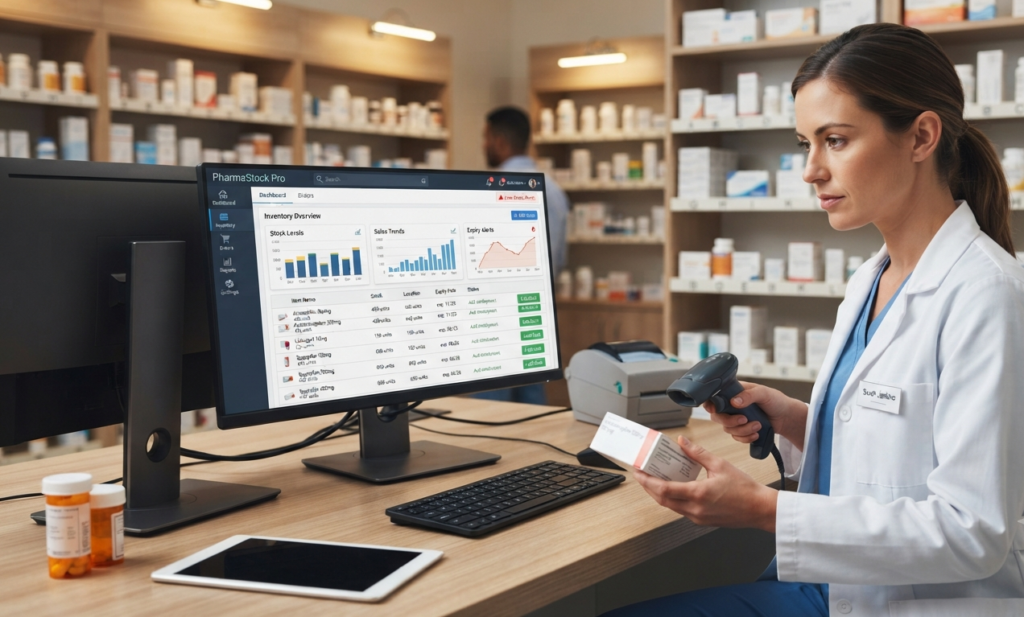
Managing pharmacy inventory is more complicated than simply counting medicines on a shelf. A pharmacy may have hundreds or even thousands of products, different batches, expiry dates, purchase prices, selling prices, suppliers, and stock levels to monitor.
When inventory is managed manually using notebooks, spreadsheets, or disconnected systems, small mistakes can quickly become expensive problems.
This is where software to manage pharmacy inventory can make a significant difference.
A modern pharmacy inventory management system helps pharmacy owners track stock, monitor medicine expiry dates, manage batches, record purchases and sales, and understand what is happening inside the business—all from one system.
What Is Pharmacy Inventory Management Software?
Pharmacy inventory management software is a digital system designed to help pharmacies organize and control their medicine stock.
Instead of maintaining inventory records manually, pharmacy owners can use software to monitor:
- Medicine stock levels
- Product batches
- Expiry dates
- Purchases
- Sales
- Suppliers
- Product costs
- Selling prices
- Stock adjustments
- Inventory reports
The main goal is simple: keep the right products in stock, reduce unnecessary losses, and make inventory management easier.
For a growing pharmacy, this can save considerable time and reduce the risk of common inventory mistakes.
Why Do Pharmacies Need Inventory Management Software?
Pharmacy inventory is different from ordinary retail inventory.
Medicines can have different batch numbers and expiry dates, while some products may need to be monitored more carefully because expired or incorrectly managed stock can create financial and operational problems.
Manual inventory management can make it difficult to answer basic questions such as:
- How many units of a medicine are currently available?
- Which medicines are going to expire soon?
- Which products are selling quickly?
- Which products are slow-moving?
- How much stock was purchased this month?
- Which supplier supplied a particular product?
- How much money is currently invested in inventory?
A pharmacy inventory management system brings these records together in one place.
Common Pharmacy Inventory Problems
Before looking at the benefits of inventory software, it is useful to understand the problems pharmacy owners commonly face.
Difficulty Tracking Stock
When stock records are maintained manually, it can be difficult to know the exact quantity of every medicine.
A proper inventory system automatically updates stock when products are purchased or sold.
Medicine Expiry Problems
Expired medicines can create unnecessary financial losses.
With medicine expiry tracking software, pharmacy staff can monitor expiry dates and identify products that require attention.
Batch Management
The same medicine may arrive in different batches with different expiry dates.
A pharmacy inventory system can store batch information and make it easier to identify which batch is available.
Overstocking
Buying too much of a slow-moving product can lock up valuable business capital.
Inventory reports can help pharmacy owners understand which products are moving quickly and which are sitting in stock.
Stock Shortages
Running out of fast-moving medicines can mean lost sales and unhappy customers.
Inventory tracking software helps pharmacy owners monitor stock levels and identify products that need to be reordered.
Manual Data Entry Errors
Using multiple notebooks or spreadsheets increases the possibility of incorrect entries.
A centralized system can reduce unnecessary duplication and make records easier to maintain.
How Software to Manage Pharmacy Inventory Works
A typical pharmacy inventory management system connects different parts of the pharmacy operation.
Product Management
The pharmacy can maintain detailed product information, including:
- Medicine name
- Generic name
- Category
- Brand
- Unit
- Purchase price
- Selling price
- Barcode
- Batch number
- Expiry date
- Current stock
This creates a centralized product database.
Purchase Management
When new medicines arrive from suppliers, the purchase information can be entered into the system.
The inventory can then be updated based on the purchased quantity.
This makes it easier to maintain accurate purchase and stock records.
Sales and Billing
When a medicine is sold, the corresponding stock quantity can be deducted from inventory.
This connects pharmacy POS software with inventory management and helps keep stock records updated.
Batch and Expiry Tracking
A good pharmacy inventory system should allow businesses to track batches and expiry dates.
This is particularly useful for pharmacies handling a large number of medicines.
Inventory Reports
Reports can help pharmacy owners understand:
- Current stock
- Stock valuation
- Sales
- Purchases
- Fast-moving products
- Slow-moving products
- Expired products
- Near-expiry products
- Profit and loss
Better reports lead to better business decisions.
Key Features to Look for in Pharmacy Inventory Software
Not every inventory system is designed specifically for pharmacies.
Before choosing a solution, consider the following features.
Real-Time Stock Tracking
The system should make it easy to see current inventory levels without manually counting every product.
Medicine Expiry Tracking
Expiry date management is one of the most important features for a pharmacy.
Look for software that can help identify products approaching their expiry dates.
Batch Management
Batch tracking allows pharmacy staff to identify medicines according to their specific batch information.
Barcode Support
Barcode scanning can make product identification and billing faster while reducing manual entry.
Purchase Management
The software should record purchases and update inventory accordingly.
Sales Integration
Inventory should automatically connect with sales and billing so that stock records remain consistent.
Supplier Management
A useful system should allow pharmacies to maintain supplier information and purchase history.
Stock Adjustment
Sometimes physical stock and system stock may not match.
Stock adjustment features allow authorized users to correct inventory records when necessary.
Reports and Analytics
Reports help pharmacy owners understand inventory performance and identify potential problems.
Multi-Branch Support
For businesses operating multiple pharmacy branches, centralized inventory management can make operations significantly easier.
Benefits of Using Pharmacy Inventory Management Software
mplementing the right software can improve several areas of pharmacy operations.
Better Inventory Accuracy
Digital records make it easier to maintain consistent stock information.
Reduced Inventory Loss
Better monitoring of expiry dates, batches, and stock movement can help reduce avoidable losses.
Faster Operations
Employees spend less time searching through notebooks or spreadsheets.
Better Purchasing Decisions
Sales and inventory data can help pharmacy owners decide what to purchase and when.
Improved Customer Service
Keeping popular medicines available helps reduce situations where customers leave because a product is unavailable.
Better Business Visibility
Owners can access reports and understand the financial and operational condition of the pharmacy.
Pharmacy Inventory Software vs Excel
Many small pharmacies start with Excel because it is inexpensive and familiar.
However, as the business grows, spreadsheets can become difficult to manage.
| Feature | Excel | Pharmacy Inventory Software |
|---|---|---|
| Stock Tracking | Manual | Automated |
| Batch Management | Limited | Dedicated |
| Expiry Tracking | Manual | System-based |
| Sales Integration | Limited | Integrated |
| Barcode Support | Limited | Available |
| Pharmacy Reports | Manual | Automated |
| Multi-Branch Management | Difficult | Easier |
| Inventory Updates | Manual | Automatic |
Excel can still be useful for basic record keeping, but specialized pharmacy software is generally more suitable when inventory becomes large or complex.
How to Choose the Right Software to Manage Pharmacy Inventory
Choosing software should not be based only on the number of features.
Consider your actual pharmacy requirements.
Consider Your Pharmacy Size
A small independent pharmacy may need a simple and affordable system, while a larger pharmacy or chain may need advanced reporting and multi-branch functionality.
Check the Inventory Features
Make sure the software supports the inventory processes your pharmacy actually uses, especially batch and expiry tracking.
Look at Ease of Use
Software should make work easier, not create another complicated task for employees.
A clean dashboard and simple workflow can make training much easier.
Consider Reporting
Ask whether you can generate useful reports for stock, purchases, sales, expiry, and profitability.
Check Support and Training
Good technical support and user training can be just as important as the software itself.
How PharmacyPOS BD Can Help Manage Pharmacy Inventory
For pharmacies looking for an integrated solution, PharmacyPOS BD is designed to bring important pharmacy operations into one platform.
Instead of managing products, sales, purchases, and inventory separately, a pharmacy can manage these activities through a connected system.
With a pharmacy management solution, businesses can work toward better control over:
- Product inventory
- Medicine sales
- Purchases
- Stock levels
- Batch information
- Expiry dates
- Customers
- Suppliers
- Billing
- Business reports
The goal is not simply to replace a notebook with software.
The real goal is to give pharmacy owners better visibility and control over their business.
Who Should Use Pharmacy Inventory Management Software?
Pharmacy inventory software can be useful for:
- Small pharmacies
- Retail pharmacies
- Medical stores
- Community pharmacies
- Large pharmacies
- Pharmacy chains
- Hospital pharmacies
- Medicine shops
- Multi-branch pharmacy businesses
If your pharmacy handles a growing number of medicines, manual inventory management can become increasingly difficult.
Frequently Asked Questions
What is the best software to manage pharmacy inventory?
The best solution depends on the pharmacy’s size, workflow, budget, and required features. Look for software that supports inventory tracking, batch management, expiry tracking, purchases, sales, and reporting.
Can pharmacy software track medicine expiry dates?
Yes. Pharmacy inventory systems can store expiry information for products and help pharmacy staff identify medicines that are approaching their expiry dates.
Can pharmacy inventory software manage medicine batches?
Yes. Batch management is an important feature for pharmacies because the same medicine may be received in different batches with different expiry dates.
Can pharmacy software track sales and inventory together?
Yes. An integrated pharmacy POS system can connect sales with inventory so that stock quantities can be updated when products are sold.
Is pharmacy inventory software better than Excel?
For a growing pharmacy, dedicated software can provide features that are difficult to maintain manually in Excel, such as integrated sales, batch management, expiry tracking, automated reports, and real-time stock updates.
Can small pharmacies use inventory management software?
Absolutely. Small pharmacies can benefit from software by reducing manual work, improving stock visibility, and keeping sales and inventory records organized.
Does pharmacy software help reduce expired medicine losses?
It can. By keeping expiry information organized and making near-expiry products easier to identify, inventory software can help pharmacies take action before products become expired.
Can pharmacy inventory software manage multiple branches?
Many modern pharmacy management systems support multi-branch operations. If you operate more than one location, check whether the software provides centralized inventory and branch-level reporting.
Final Thoughts
Managing pharmacy inventory manually may work when a business is very small, but the process becomes increasingly difficult as the number of products, customers, suppliers, and transactions grows.
The right software to manage pharmacy inventory can help pharmacies organize stock, monitor medicine expiry dates, manage batches, connect purchases with inventory, track sales, and generate useful reports.
More importantly, good inventory management gives pharmacy owners something valuable: better control over their business.
If you are looking for a practical pharmacy management solution, explore PharmacyPOS BD and compare its features with the actual needs of your pharmacy before making a decision.