
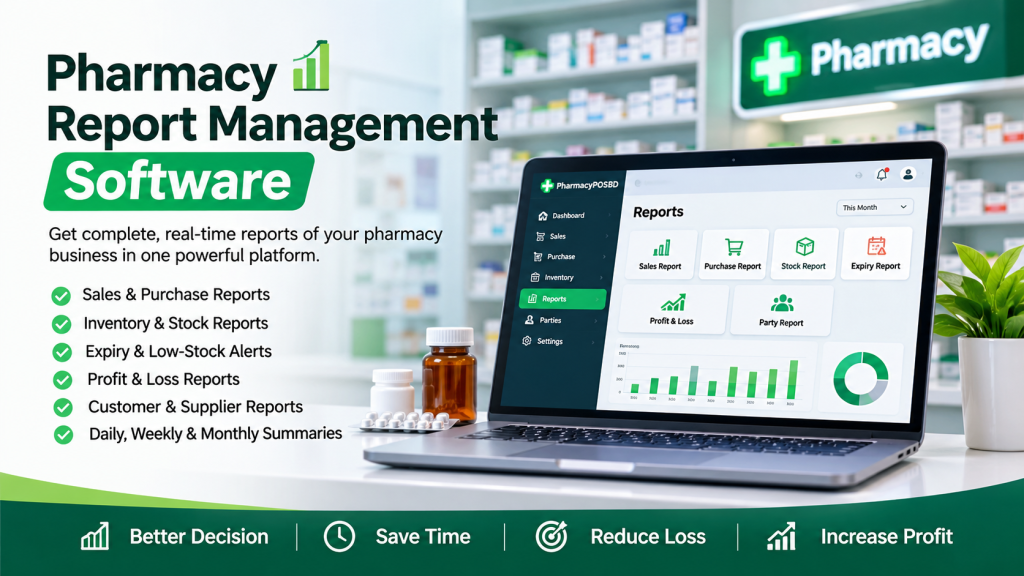
Pharmacy Report Management Software helps pharmacy owners monitor daily sales, purchases, medicine stock, expenses, profits, and outstanding payments from one centralized system. Instead of manually preparing reports from registers and spreadsheets, pharmacy businesses can generate accurate reports quickly and make better business decisions.
Running a pharmacy involves managing hundreds or thousands of medicine records, daily transactions, suppliers, customers, and inventory. Without proper reporting, it becomes difficult to understand actual business performance. A reliable pharmacy reporting system makes these tasks easier, faster, and more organized.
What Is Pharmacy Report Management Software?
Pharmacy Report Management Software is a digital solution that collects and organizes pharmacy business data and converts it into useful reports. It helps pharmacy owners track financial performance, inventory movements, sales activities, purchases, and daily operations.
With a pharmacy management system, business owners can access important information without manually checking multiple registers or files.
Typical pharmacy reports include:
- Daily, weekly, and monthly sales reports
- Purchase and supplier reports
- Stock and inventory reports
- Medicine expiry reports
- Profit and loss reports
- Customer due reports
- Expense reports
- Sales return reports
Why Is Reporting Important for Pharmacy Businesses?
Accurate reporting is essential for maintaining control over pharmacy operations. Without proper reports, owners may struggle to identify financial losses, stock shortages, unnecessary purchases, and outstanding payments.
Monitor Daily Pharmacy Sales
Daily sales reports help pharmacy owners understand how much revenue their business generates. They can review sales transactions, invoice details, payment methods, and sales performance over a selected period
Track Medicine Inventory
Inventory reports provide a clear overview of available medicine stock, stock movements, and low-stock products. This helps prevent unnecessary purchases and medicine shortages
Monitor Medicine Expiry Dates
Expiry reports help identify medicines approaching their expiration dates. Pharmacy owners can review expiry information and take appropriate action to reduce avoidable inventory losses
Analyze Pharmacy Profit and Expenses
Financial reports help business owners review sales, purchase costs, operating expenses, and profitability. For meaningful profit calculations, the system should account for the actual cost of goods sold and relevant expenses.
Manage Customer and Supplier Dues
Outstanding payment reports make it easier to monitor customer receivables and supplier payables. This improves cash flow visibility and payment management.
Essential Features of Pharmacy Report Management Software
A professional pharmacy reporting solution should provide different reporting options to cover the major activities of a medicine shop.
Daily, Weekly and Monthly Sales Reports
Sales reports allow pharmacy owners to review business performance over different time periods. They can analyze transaction history, total sales, discounts, and payment collection.
Pharmacy Purchase Reports
Purchase reports show medicine purchasing history, supplier information, quantities, and purchase costs. These reports help pharmacy owners monitor procurement activities.
Inventory and Stock Reports
Inventory reporting provides information about current stock quantities, available products, stock adjustments, and inventory movements.
Medicine Expiry and Batch Reports
Batch-wise expiry reporting helps identify medicines based on their batch numbers and expiration dates. This is particularly useful for pharmacies managing large medicine inventories.
Profit and Loss Reports
Profit and loss reports help pharmacy owners understand business performance by reviewing revenue, cost of goods sold, and operating expenses.
Customer and Supplier Ledger Reports
Ledger reports provide transaction histories, payments, and outstanding balances for individual customers and suppliers.
Expense Reports
Expense reports organize daily and monthly business expenses, helping owners understand where their money is being spent.
How Pharmacy Report Management Software Improves Business Efficiency
Using pharmacy reporting software can improve business operations in several ways.
- Saves Time: Generates reports without manually preparing spreadsheets.
- Improves Accuracy: Reduces calculation and data-entry errors when transactions are recorded correctly.
- Better Stock Control: Helps identify low-stock products and inventory discrepancies.
- Financial Visibility: Provides a clearer picture of sales, expenses, and outstanding payments.
- Better Decision-Making: Helps owners identify business trends and operational problems.
- Centralized Information: Keeps important business reports accessible from one system.
Manual Pharmacy Reporting vs Digital Pharmacy Reporting
| Manual Reporting | Digital Reporting |
|---|---|
| Requires manual calculations | Automated report generation |
| Time-consuming process | Faster reporting |
| Difficult to track old transactions | Searchable transaction history |
| Higher risk of calculation errors | System-based calculations |
| Difficult to monitor stock | Organized inventory reports |
| Limited business insights | Multiple reporting options |
For growing pharmacies, digital reporting offers a more organized approach to managing business information.
How to Choose the Best Pharmacy Report Management Software
Before selecting a pharmacy management solution, consider the following factors:
Comprehensive Reporting Options
Choose software that provides sales, purchase, inventory, expense, and financial reports
Easy-to-Use Dashboard
A simple dashboard should help pharmacy owners understand important business information quickly.
Inventory and Expiry Tracking
Ensure the software supports medicine stock monitoring, batch management, and expiry reporting.
Financial Management
Look for customer dues, supplier balances, payment records, and profit and loss reporting.
Data Security and Backup
Choose a solution with appropriate access controls and reliable backup facilities to protect important business records.
Manage Your Pharmacy Reports Easily with PharmacyPOSBD
PharmacyPOSBD helps pharmacy businesses organize their daily operations through an integrated pharmacy management solution.
Instead of managing sales, purchases, stock, and financial information separately, pharmacy owners can manage important business activities through one platform.
With PharmacyPOSBD, you can manage:
- Daily and monthly sales information
- Purchase and supplier records
- Medicine inventory and stock movements
- Batch and expiry information
- Customer and supplier dues
- Business expenses
- Profit and loss information
- Essential pharmacy business reports
Whether you operate a small medicine shop or a growing pharmacy business, PharmacyPOSBD can help simplify your daily management and reporting activities.
Ready to manage your pharmacy business more efficiently?
Explore PharmacyPOSBD and request a software demo to see how a digital pharmacy management system can improve your business operations.
Website: https://pharmacyposbd.com/
Frequently Asked Questions (FAQ)
What is Pharmacy Report Management Software?
Pharmacy Report Management Software is a digital system that helps pharmacy owners generate and manage sales, purchase, inventory, expense, and financial reports.
What reports should pharmacy management software provide?
A pharmacy management system should provide daily sales, purchase, inventory, medicine expiry, profit and loss, expense, customer due, and supplier ledger reports.
Can pharmacy software generate daily sales reports?
Yes. Pharmacy software can generate daily sales reports using recorded transactions and help owners review sales totals, invoices, discounts, and payment information.
Can I track medicine stock through pharmacy reporting software?
Yes. Inventory reports help pharmacy owners monitor available stock, stock movements, low-stock products, and inventory adjustments.
Can pharmacy software help track expired medicines?
Yes. Software with batch and expiry tracking can generate reports showing medicines approaching or reaching their expiration dates
Is pharmacy report management software suitable for small pharmacies?
Yes. Small pharmacies can use reporting software to organize daily transactions, monitor inventory, track expenses, and understand business performance
How much does pharmacy report management software cost in Bangladesh?
The price depends on the software’s features, reporting capabilities, support, and licensing model. Contact PharmacyPOSBD for pricing and a suitable software package.
Why should I use PharmacyPOSBD?
PharmacyPOSBD provides pharmacy-focused management features for organizing sales, purchases, inventory, expiry tracking, and business reporting in one system.